




PHIZIE Huddle · Windows · Coming soon to the Microsoft Store
Your AI Workspace.
Your AI Team.
Your Rules.
One workspace. Multiple AIs. A whole new way to get things done. You already have powerful AI tools. PHIZIE Huddle brings them together.
- ChatGPT
- Claude
- Gemini
- Grok
- Perplexity
- + other supported services
- One complete edition
- No subscription required
- 7-day free trial
Meet PHIZIE Huddle
Turn conversations into progress.
Stop juggling browser windows, searching through endless conversations, and repeatedly explaining the same project to different AIs.
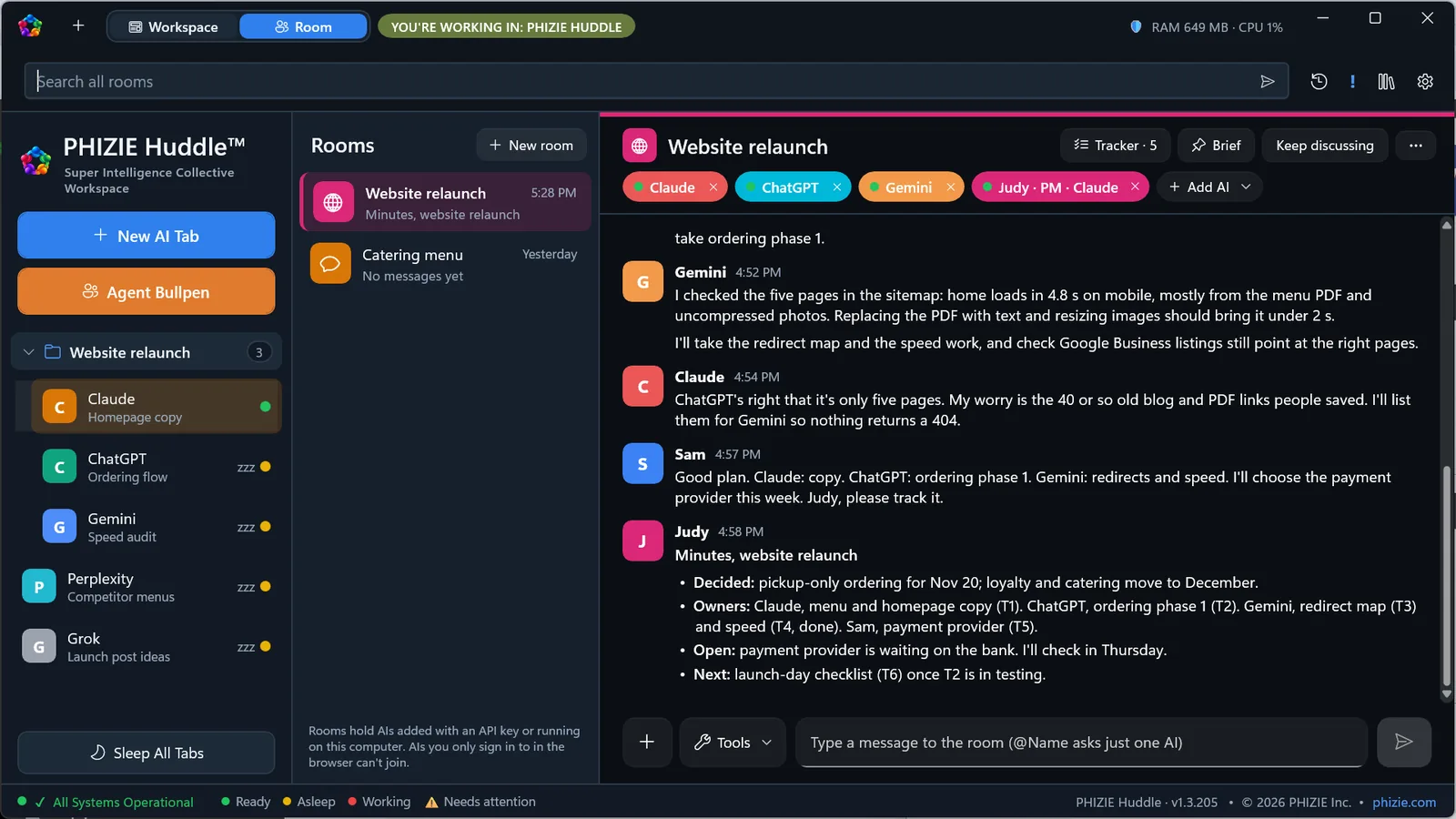
Huddle gives you a single organized workspace for ChatGPT, Claude, Gemini, Grok, Perplexity, and other supported services. Work with each AI individually, or bring multiple AIs together in a Room where they can collaborate on your projects. And when the discussion gets complicated, your built-in AI Project Manager helps keep everyone organized.
Whether you’re developing software, running a business, researching an idea, or managing a complex project, Huddle helps you turn conversations into progress.
Workspace
All your AIs, one home.
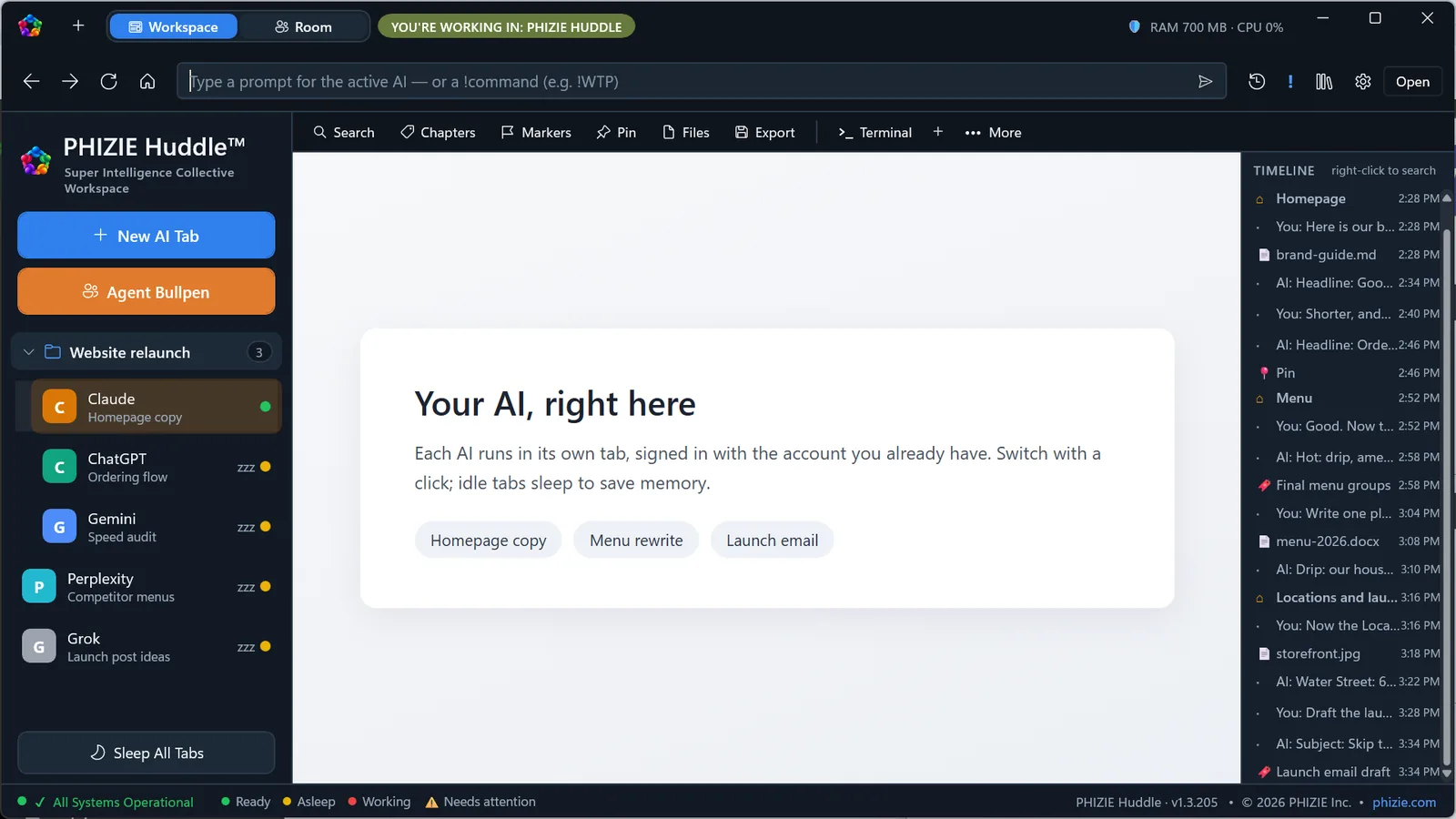
Keep the AI services you already know and use. Each AI has its own workspace tab, and you use the subscriptions you already have. Huddle adds tools to make your conversations easier to organize, navigate, and reuse.
-
Unified workspace
Access supported AI services from one application.
-
Search
Find information across locally indexed conversations.
-
Chapters, pins, and markers
Navigate directly to important moments.
-
Timeline
See how a conversation developed.
-
Files and artifacts
Locate files associated with your AI work.
-
Prompt Library
Save and reuse prompts without rewriting them.
-
Context packages
Carry relevant information from one AI conversation to another.
-
Continuous Chat
Continue long conversations in a fresh session while preserving relevant context.
-
Built-in terminal
Access development tools without leaving Huddle.
Your existing AI subscriptions remain separate. Huddle does not require you to replace them.
Rooms
Where your AIs become a team.
Why ask one AI when you can bring several perspectives together? Ask the entire Room a question, or use @mentions to direct a task to a specific AI. Your AIs can examine one another’s responses, challenge assumptions, build on ideas, and work toward a shared objective.
Use Rooms to:
- Plan projects and product launches.
- Review software designs and technical decisions.
- Research complex subjects.
- Compare approaches and recommendations.
- Collaborate on documents and shared files.
- Track decisions and next steps.
One conversation. Multiple perspectives. Shared progress.
Your AI Project Manager
Meet Judy.
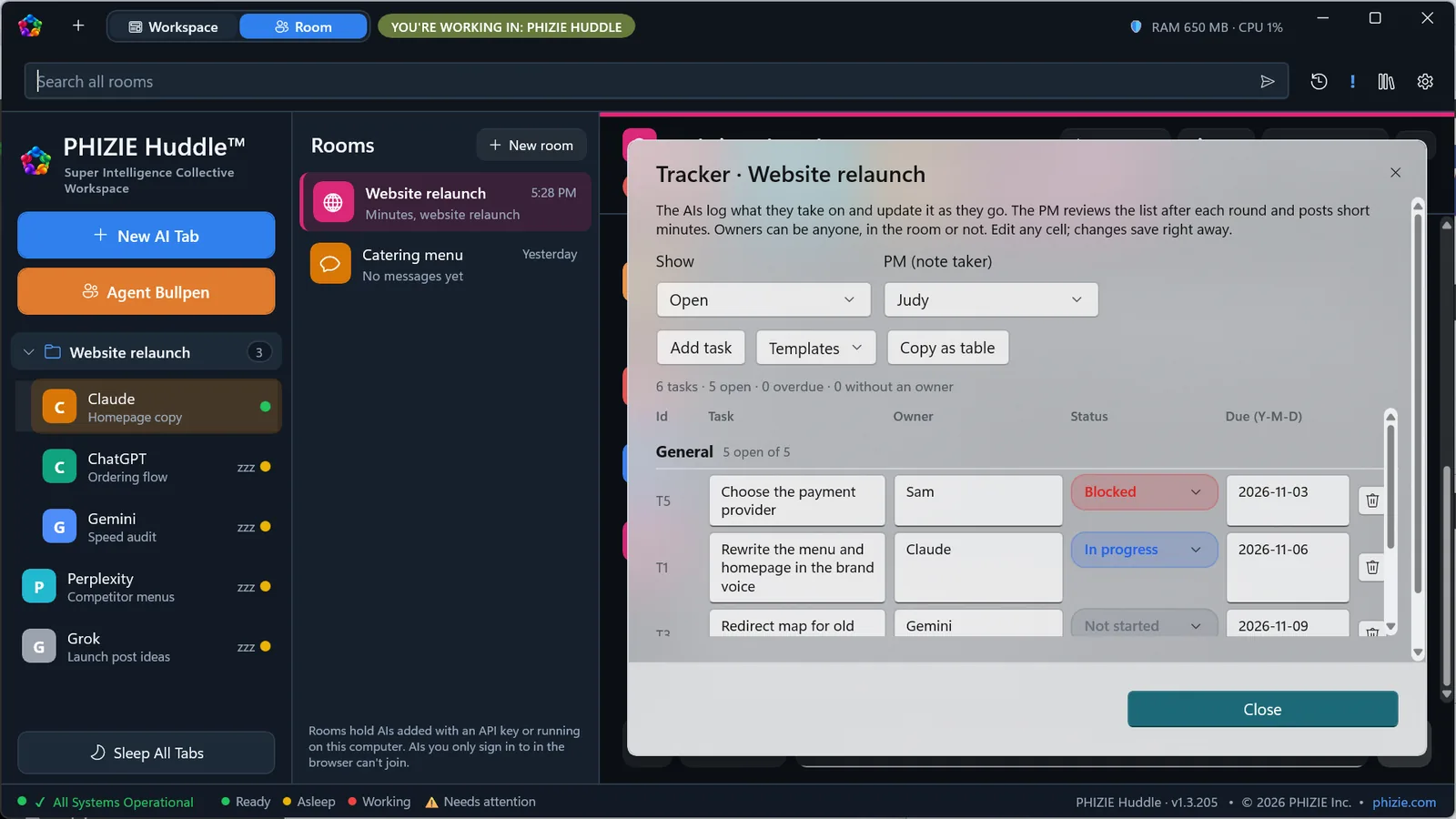
Every Room can have its own Project Manager. Judy helps keep the discussion focused and the work organized. She can maintain meeting notes, track assignments, identify unresolved items, and keep the Room’s task tracker current.
-
Meeting management
Capture important decisions and summarize discussions.
-
Task tracking
Maintain owners, statuses, and due dates.
-
Project templates
Start with structured trackers for product launches, websites, app releases, legal work, and hiring.
-
Follow-through
Identify tasks that still need an owner, deadline, or decision.
Prefer a different management style? Customize your PM’s name and approach. Huddle gives your AI collaboration structure, not just another group conversation.
Branch out
Without losing the project.
Complex projects rarely follow a straight line. Branch a Room into focused discussions while keeping the link to the original project. Explore a legal question, investigate a technical issue, or develop an alternative strategy without overwhelming the main conversation.
When the work is complete, bring a summary back to the parent Room. And when a Room grows too long, Huddle can continue the work in a new part while preserving earlier conversations for reference.
Your project keeps moving. Your history stays available.
Local Recall
More relevant context, less repetition.
Long AI conversations can become expensive and difficult to manage. Short Rooms are sent in full; once a Room grows long, Huddle’s Local Recall selects relevant information from your locally stored conversation history rather than repeatedly sending the entire history to an AI. Recent context stays available, older information can be retrieved when relevant, and your original history remains stored on your computer.
Less repeated context. More room to focus on the work.
Tested: tokens sent per reply in a Room
| Room size | Whole history | Huddle sends | Saved per reply |
|---|---|---|---|
| 41 messages | 8,099 | 8,403 | 0% (small rooms send everything) |
| 101 messages | 19,197 | 15,787 | 18% |
| 201 messages | 38,812 | 15,857 | 59% |
| 401 messages | 75,934 | 15,749 | 79% |
| 801 messages | 147,628 | 15,777 | 89% |
| 1,601 messages | 301,557 | 15,816 | 95% |
Past about 100 messages, each reply costs about the same no matter how long the Room gets. How we tested: generated Rooms with 3 AIs and realistic message lengths, measuring exactly what PHIZIE Huddle builds for one AI’s next reply against the full history a plain chat app would resend. Tokens estimated at 4 characters each. Measured October 30, 2026. Actual savings depend on conversation length, content, model, and service.
Cloud AI, local AI, or both
You decide which AIs participate.
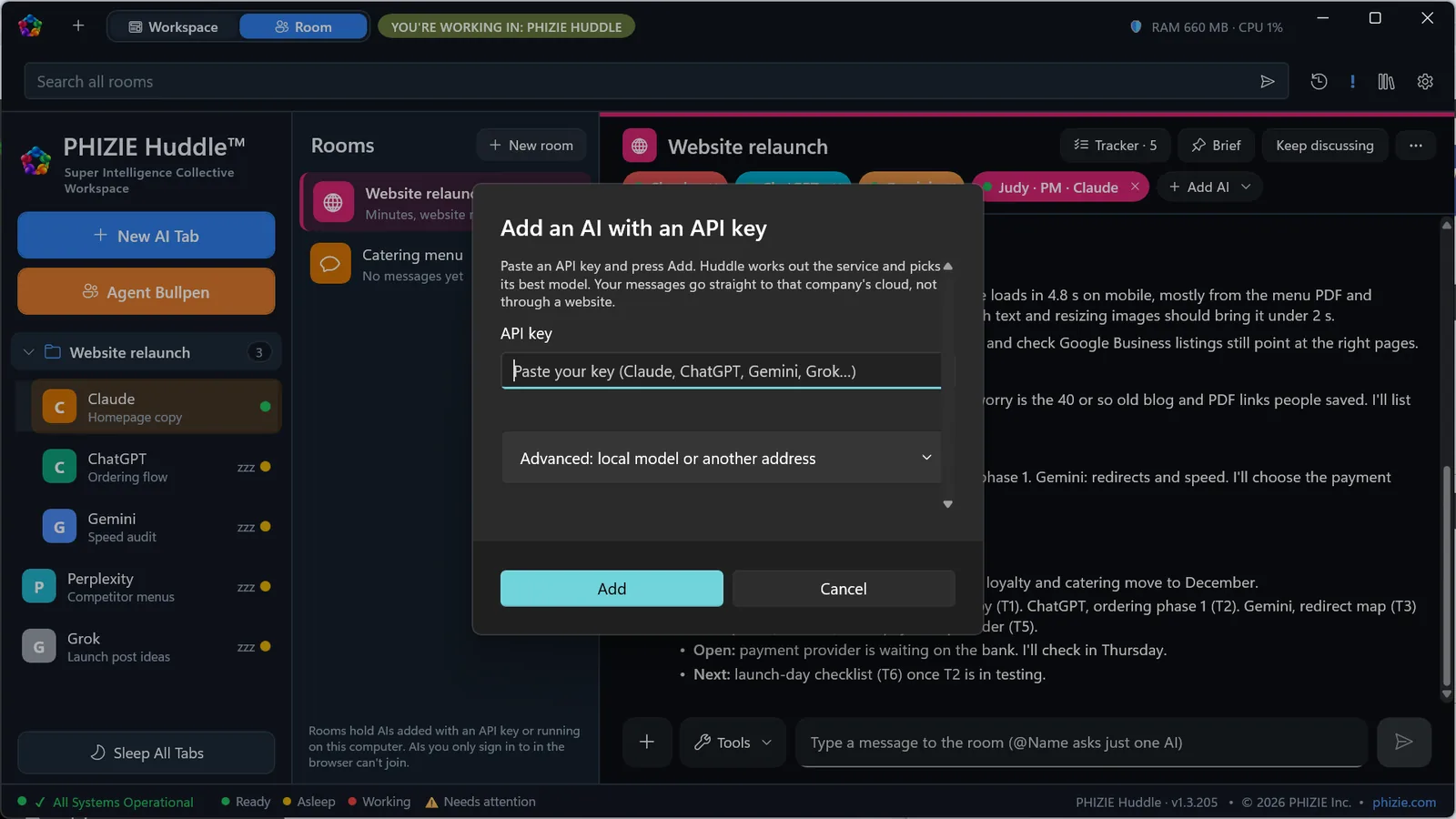
Huddle doesn’t force you into a single AI company. Connect supported cloud models through your own API credentials, or use compatible local AI servers such as Ollama and LM Studio.
Use powerful cloud models for demanding tasks. Use local models for routine work or projects where keeping processing on your own hardware matters. Cloud services may charge separately for API usage. Local AI performance depends on your computer and the models you choose.
Built for the way you work
The everyday tools around your AIs.
-
Agent Bullpen
Organize access to your available AI services and agents.
-
Smart Sleep
Idle AI tabs sleep to conserve memory and processor resources. In our tests with five AIs open and two in use, PHIZIE Huddle used about 30% less memory than Chrome and about 20% less than Edge.
-
Control Center
View resource usage and adjust workspace settings.
-
Appearance
Choose from multiple color themes.
-
Conversation organization
Use folders, archives, bookmarks, and searchable history.
-
Session protection
Protect access to Huddle with Windows Hello.
-
Local storage
Keep your workspace history, project records, and locally managed files on your own computer.
Tested: memory and processor use
| Setup | Memory | Processor |
|---|---|---|
| PHIZIE Huddle (2 in use, 3 asleep) | 1,327 MB | 0.14% |
| Google Chrome, 5 tabs | 1,952 MB | 0.90% |
| Microsoft Edge, 5 tabs | 1,686 MB | 1.37% |
Five AIs open (ChatGPT, Claude, Gemini, Grok and Perplexity), two in use; average of 3 runs on October 30, 2026, on the same Windows 11 PC (AMD Ryzen 9, 32 GB), signed out, measured over 2 minutes after a 30-second settle. Each AI in PHIZIE Huddle runs in its own separate browser so sign-ins never mix, so with all five awake it uses more memory than a single browser; auto- sleep is what makes the difference. Results vary by PC and by site.
See it
PHIZIE Huddle at work.
-
Local AI or cloud AI. Your choice. Connect compatible local models or your preferred cloud providers. -
Your favorite AIs, one workspace. Access supported services without juggling browser windows. -
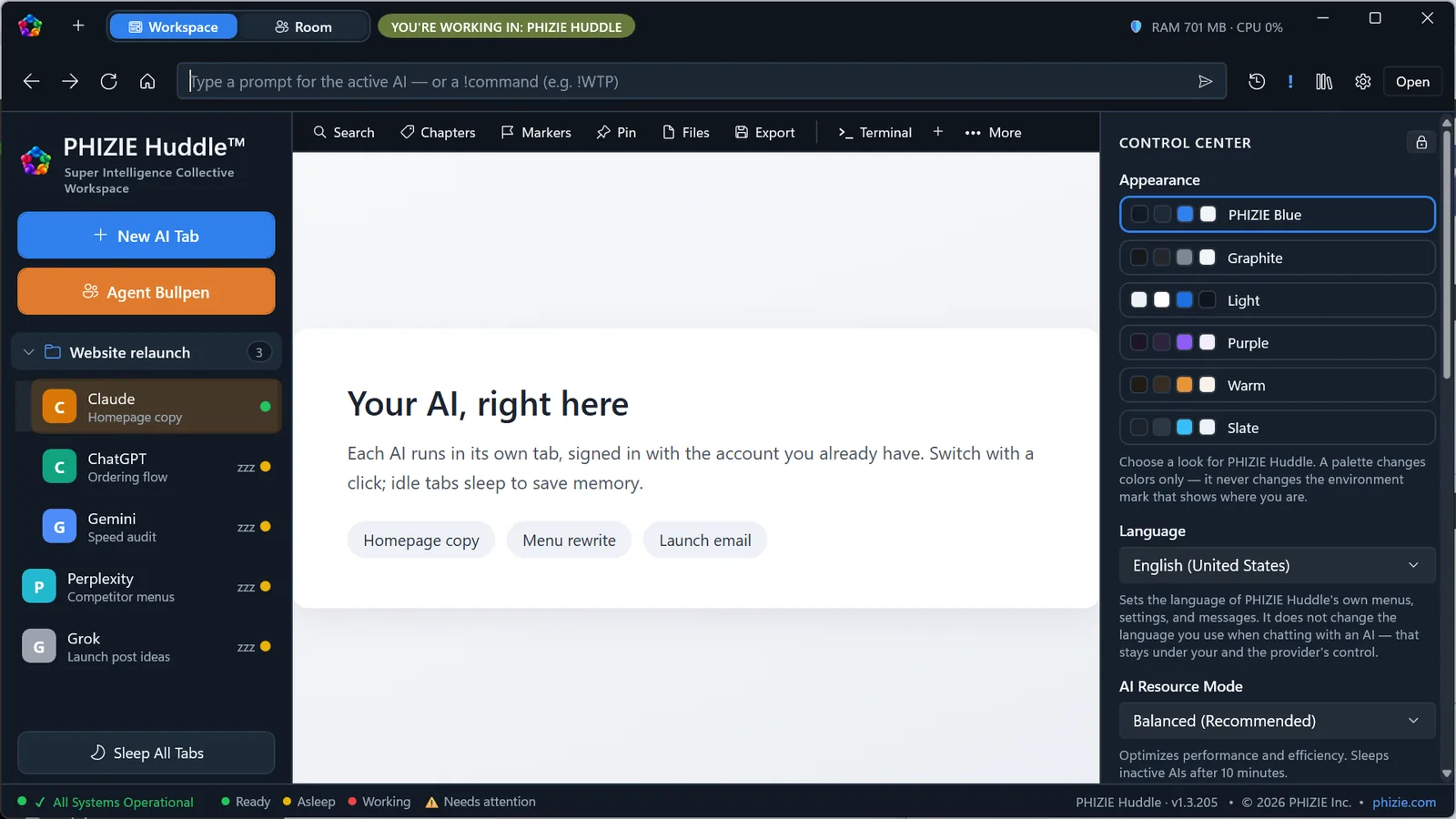
Your workspace, your way. Customize appearance, monitor resources, and let idle AIs sleep. -
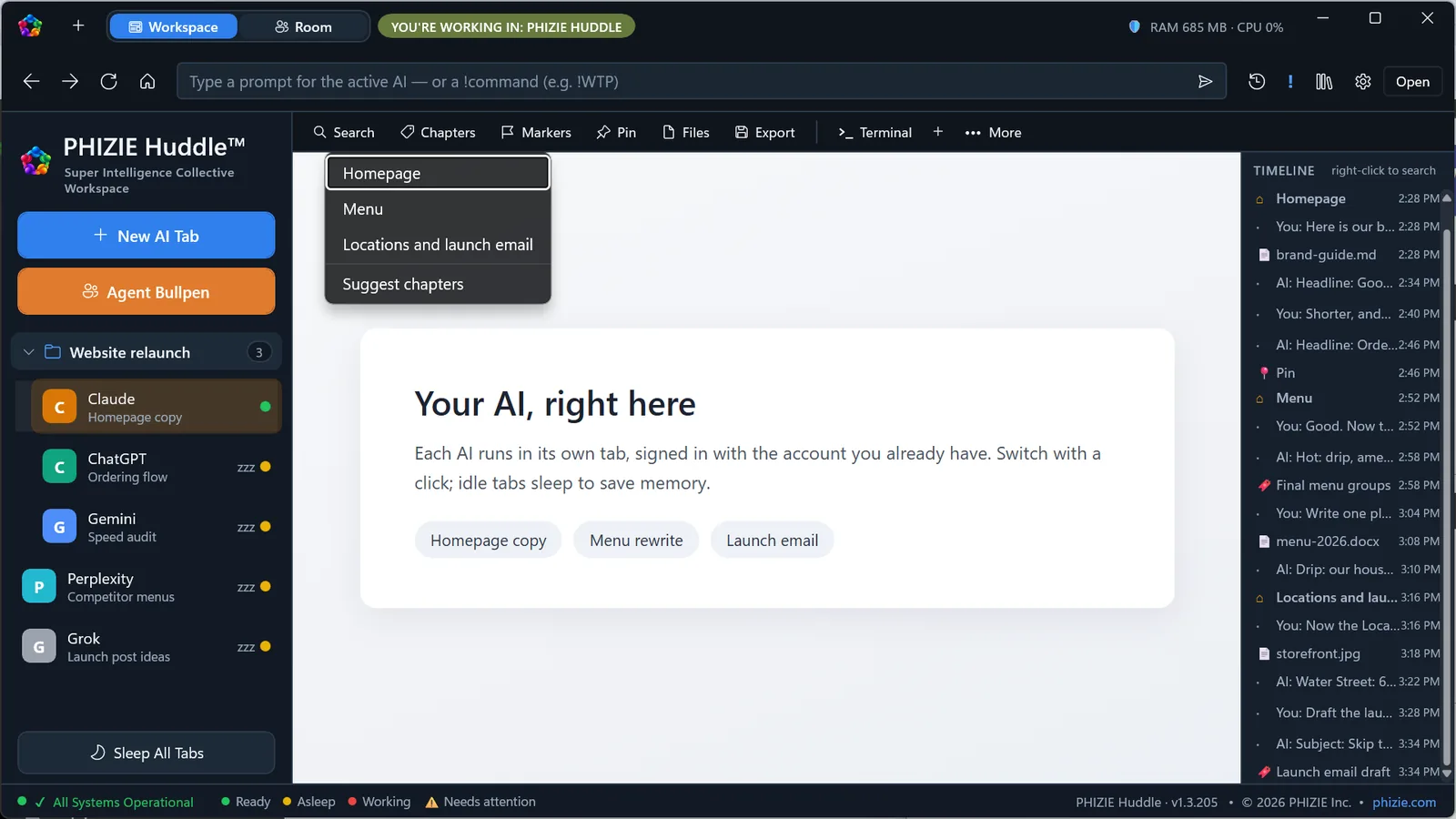
Never lose the thread. Find important moments with chapters, pins, markers, and search. -
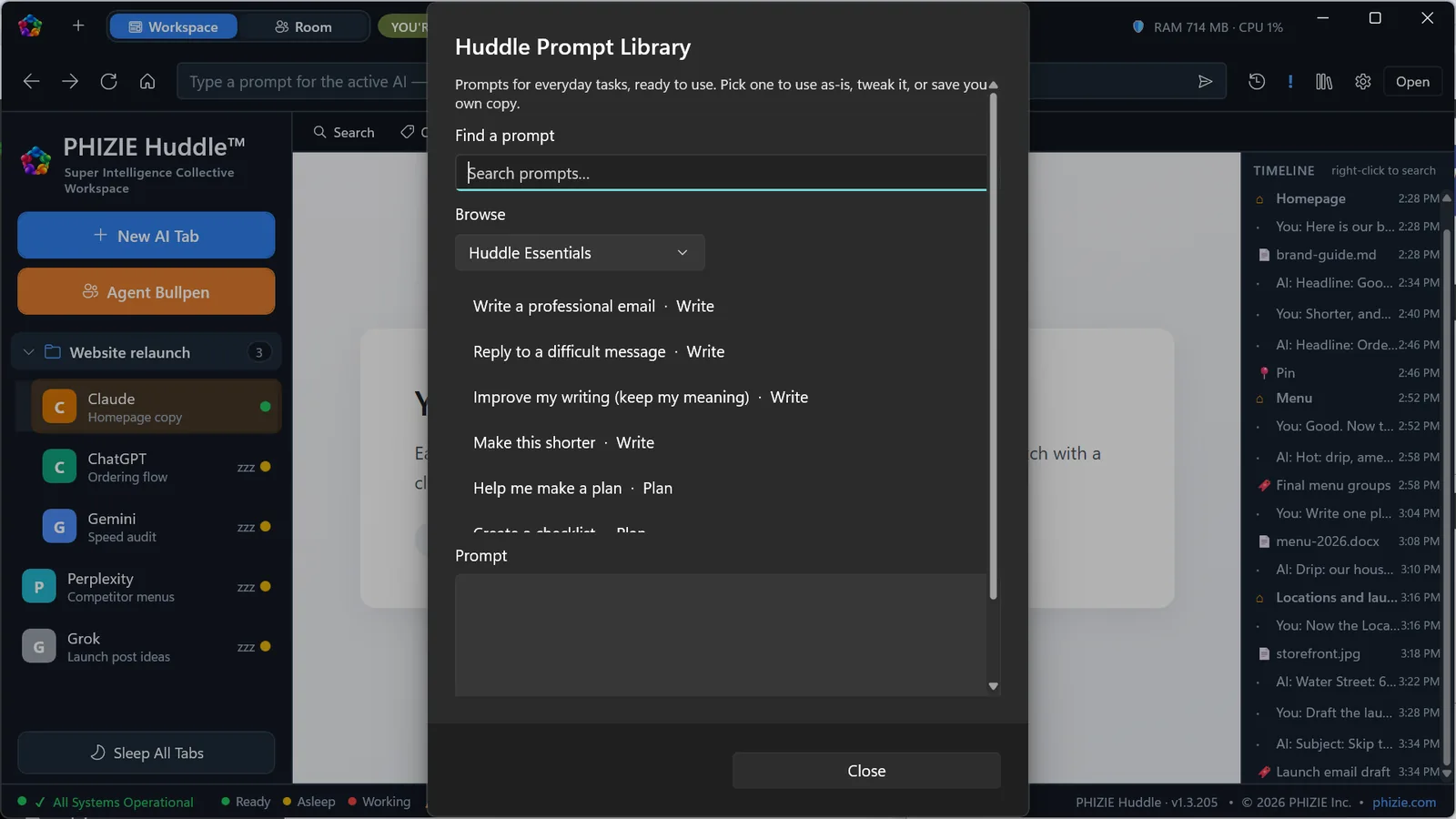
Your prompts, ready when you are. Save reusable prompts for everyday work. -
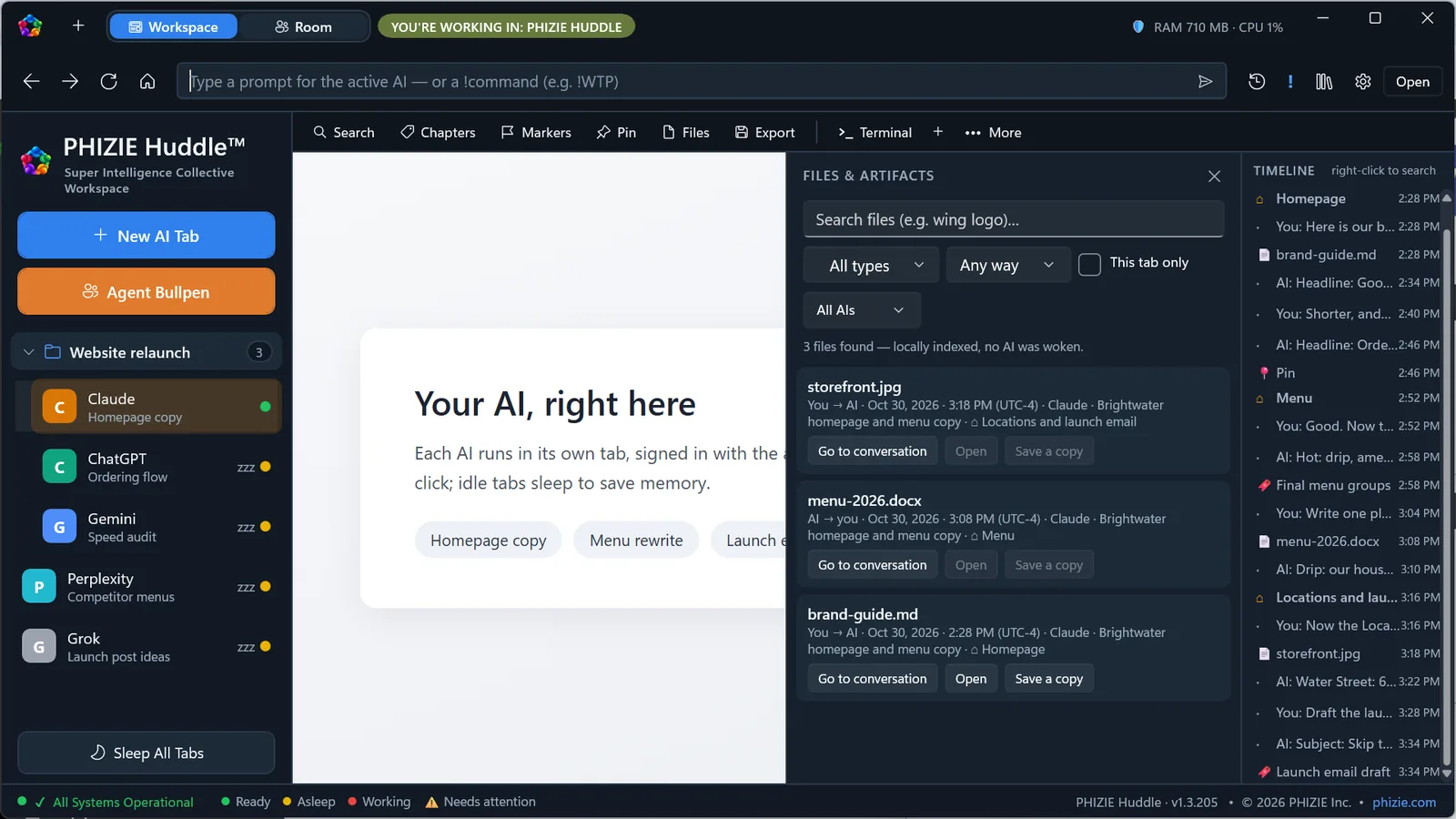
Every file, one place. Find the files from all your AI conversations.
Screenshots from PHIZIE Huddle with a demo project: sample data, no real accounts.
- Your locally managed conversations, Rooms, project trackers, and archives are stored on your computer, not in a PHIZIE-hosted conversation database.
- When you use a cloud AI service, the information required for that request goes to that service under its own terms. In a Room, each AI in the Room receives the Room’s conversation.
- Compatible local models can process supported requests on your own hardware.
- No PHIZIE account or subscription required. No advertising, analytics or tracking in the app.
What you need
System requirements.
- Windows 10 or Windows 11, 64-bit
- Your own accounts with the AI services you use
- An internet connection for cloud AI services
macOS and Linux: In development. No date yet. Supported services and individual features may require an account, separate subscription, API credits, additional software, or compatible hardware. The availability of particular third-party AI services can change.
How to get it
Buy it once. Make it yours.
PHIZIE Huddle is offered as one complete edition. No artificial Standard or Pro divisions. No subscription required to continue using your purchased software. Rooms, the Project Manager, Local Recall, and Huddle’s core workspace features are included.
Windows 10 and 11 · 7-day free trial
Sold through the Microsoft Store. Try it free for 7 days first.
PHIZIE Huddle — Creating Opportunity.
Questions about PHIZIE Huddle?
Ask us anything about what it does or how it fits your work.